





Hydraulics do the heavy lifting on almost every piece of construction equipment. Excavator booms, dozer blades, loader arms and telehandler booms all depend on pressurised fluid doing exactly what it should. When a hydraulic fault appears, the machine stops and the site waits.
The difficulty is that hydraulic symptoms are rarely specific. A machine that is slow, weak, hot or noisy could have a mechanical fault, an electronic fault or a combination of both. Modern machines use electro hydraulic controls, so a failing sensor, solenoid or controller can mimic a worn pump. Diagnosing hydraulic faults well means working through the possibilities in a sensible order rather than replacing parts and hoping.
Common hydraulic problems in construction equipment
These are the faults technicians meet most often:
- Contaminated or degraded fluid. Dirt, water and wear particles damage pumps, valves and cylinders. Contamination is widely recognised as one of the leading causes of hydraulic component wear.
- External and internal leaks. Split hoses, failed seals and loose fittings are easy to spot. Internal leaks, such as worn cylinder seals or valve spool wear, reduce force and speed without leaving a puddle.
- Low fluid level or air in the system. Aeration causes foaming, noise and spongy, inconsistent movement.
- Overheating. A blocked cooler, low fluid level or components working harder than they should can push temperatures up. Excess heat can thin the fluid and accelerate wear.
- Pump wear or cavitation. Whining noises, slow response and reduced flow often point to the pump or a restricted suction line.
- Control valve faults. Sticking spools, contamination and wear can cause jerky, slow or unresponsive movement.
- Electronic and calibration faults. Faulty solenoids, proportional valves, pressure sensors, wiring or connectors can all cause hydraulic symptoms. So can incorrect parameters or a missing calibration after a component has been replaced.
A systematic approach to diagnosing hydraulic faults
Following the same process every time saves hours and prevents unnecessary parts replacement.
- Start with the operator. Ask what the machine is doing, when it started and whether it happens hot or cold. Find out whether one function is affected or all of them. This takes two minutes and often narrows the search dramatically.
- Make the machine safe and inspect it. Stored pressure can remain in a hydraulic system after shutdown, so isolate the machine and relieve pressure before disconnecting anything. Never check for leaks with your hands, as fluid escaping under pressure can cause serious injury. Then check the fluid level and condition. Milky fluid suggests water, while a burnt smell or very dark fluid suggests overheating. Look at hoses, fittings, filters and coolers too.
- Read fault codes and live data. Connect to the machine’s control units and record every active and stored code before clearing anything. Watch live data while operating the affected function to see how pressures, temperatures and sensor values behave.
- Isolate the problem. If every function is slow or weak, the cause is more likely to be in the shared supply, such as the pump, relief valve or fluid condition. If only one function is affected, look at that circuit’s valve, cylinder, hose or control signal.
- Test and verify. Use pressure and flow measurements and compare them with the manufacturer’s specifications. Check solenoids, sensors, wiring and connectors where electronic control is involved. Change one thing at a time so you know what actually fixed the fault.
- Repair, calibrate and confirm. After the repair, perform any calibrations or parameter configuration the machine requires. Retest under load, confirm there are no active codes and document what was done.
Choosing diagnostic software for construction machinery
Diagnostic software will not replace gauges, flow meters and good fault finding skills, but it can support every step above. When comparing options, consider the following:
- Brand and model coverage. If your fleet includes several manufacturers, check whether one tool can cover them. Manufacturer tools are generally built for that manufacturer’s own machines.
- Depth of system coverage. Check that the software reaches hydraulic and machine controllers, not just the engine.
- Live data and actuator tests. Being able to watch real values and activate components makes it far easier to separate electrical faults from mechanical ones.
- Calibrations and parameter settings. Hydraulic repairs can need configuration afterwards, so these functions matter.
- Technical information. Wiring diagrams and troubleshooting guides by fault code or symptom reduce guesswork.
- Update frequency. New machines arrive constantly, so regular coverage updates keep the tool relevant.
- Support and training. Good technical support is what gets you moving when a fault is unusual.
How Jaltest OHW can support the diagnostic process
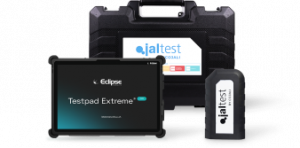
Jaltest OHW is the off highway module of the Jaltest multi brand diagnostic platform, designed for construction and plant equipment including excavators, cranes, dumpers, compact equipment and stationary engines. Eclipse supplies it as the official UK distributor of Jaltest.
Here is how it maps onto the process above:
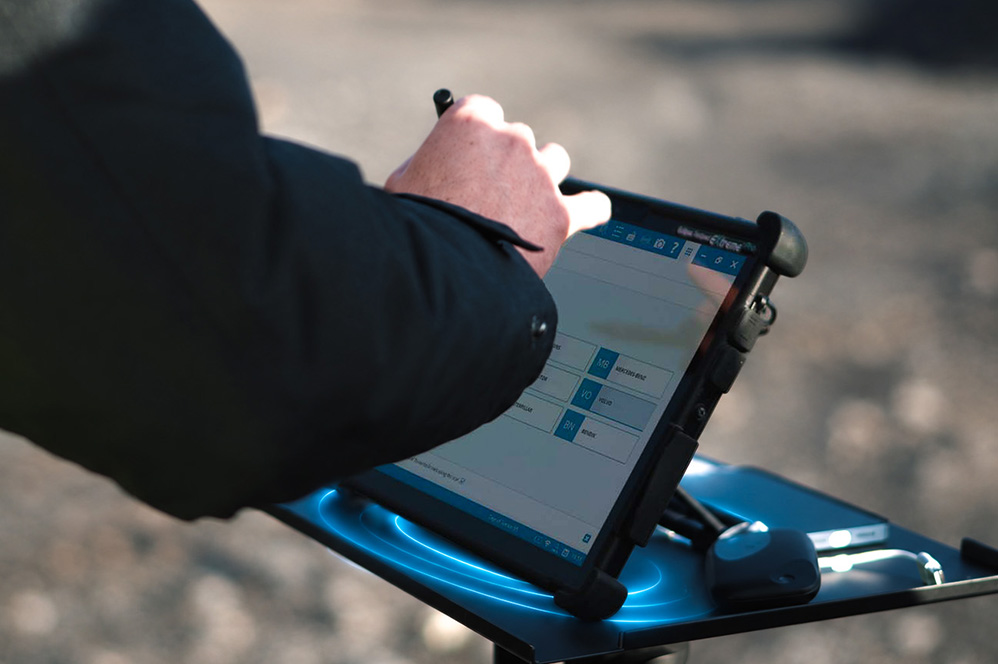
- Fault codes and live data. Jaltest OHW supports real time data monitoring, so technicians can watch parameters including hydraulics and pressures while the machine is operating.
- Guided troubleshooting. Troubleshooting guides by fault code and by symptom help technicians decide what to check next.
- Technical data and diagrams. Access to system technical data and diagrams helps when tracing a sensor or solenoid circuit.
- Calibrations and parameters. Jaltest includes actuations, calibrations and parameter configuration. Recent updates added hydraulic functions for specific machines, including hydraulic systems on Hyundai CE and JCB crawler excavators, Komatsu hydraulic functions and hydraulic configuration checks on Mecalac wheel excavators. You can read the full list in our Jaltest 26.3 software update article.
- Broad brand coverage. Jaltest OHW covers leading construction brands including Caterpillar, Kobelco, Doosan, Liebherr, BOMAG and JCB.
- Regular updates. Jaltest adds new brands, models and systems three times a year.
- Support and training. The OHW kit from Eclipse includes 12 months of UK based technical support, and Eclipse also offers Jaltest training courses.
Coverage varies by manufacturer, model and system, so it is worth confirming that your machines are supported before you buy. For a wider look at the process, our workshop guide to diagnosing construction and agricultural machinery covers it in more detail, and you can find out more about Eclipse diagnostic packages on our website. You can also read more about the platform at jaltest.co.uk.
Keep your machines working with Eclipse
If hydraulic faults are costing your business time and dealer call out fees, speak to the Eclipse team about Jaltest OHW. We will help you check coverage for your fleet and find the right package. Get in touch today to arrange a demonstration.
Frequently asked questions
What are the most common hydraulic faults in construction machinery?
The most common causes are contaminated fluid, leaks, overheating, pump wear, control valve faults and electronic faults such as failing sensors or solenoids.
Can diagnostic software diagnose hydraulic faults on its own?
Software reads fault codes, shows live data and offers guided troubleshooting, but it works alongside mechanical checks such as pressure and flow testing rather than replacing them.
Which machines does Jaltest OHW cover?
Jaltest OHW covers construction and off highway equipment including excavators, cranes, dumpers, compact equipment and stationary engines. Coverage varies by brand, model and system, so check your machines with Eclipse first.