

Modern vehicle diagnostics rely on powerful software, accurate data and reliable equipment. However, while diagnostic performance is important, workshops also need to consider how well their equipment can withstand the demands of everyday use.
From accidental knocks and regular handling to dust, dirt and changing working conditions, a busy workshop can be a challenging environment for electronic devices.
Choosing a rugged diagnostic tablet designed specifically for workshop use can help protect your investment, reduce equipment downtime and make everyday diagnostic tasks easier.
Why Workshop Conditions Demand More from Diagnostic Tablets
Unlike a traditional office, a vehicle workshop is rarely a clean or controlled environment. Diagnostic equipment is regularly moved between vehicles, placed on workbenches and used in areas where accidental damage is a constant risk.
Standard consumer tablets may offer good performance, but they aren’t always designed to cope with these conditions.
A purpose-built workshop diagnostic tablet should provide:
- Durable construction: Designed to withstand regular handling and demanding working conditions.
- Impact protection: A robust exterior that helps reduce the risk of damage from everyday knocks.
- Reliable performance: The processing power needed to run professional diagnostic software.
- Practical portability: Easy handling when moving between vehicles and work areas.
Investing in equipment designed for these conditions can help workshops avoid unnecessary repairs, replacements and interruptions to their work.
Protective Casing, Reinforced Corners and Impact Resistance
One of the first things to consider when choosing a diagnostic tablet is its physical construction.
Protective casing and reinforced corners can help absorb impacts, particularly if equipment is accidentally knocked against a vehicle or dropped during use.
It’s also worth checking whether the tablet has been tested against recognised durability standards rather than relying solely on claims that it is rugged.
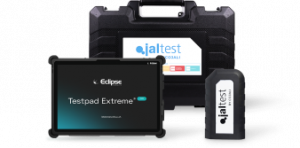
For example, the Eclipse Testpad Extreme Pro is built to military-grade specifications, meeting the MIL-STD-810G standard referenced in its technical specifications.
This makes it a practical choice for demanding workshop environments where equipment needs to withstand frequent handling and challenging conditions.
However, even rugged equipment should be handled carefully and stored securely when not in use.
Screen Visibility and Usability During Diagnostic Work
A diagnostic tablet needs to be more than durable. It should also be comfortable and straightforward to use throughout the working day.
Technicians regularly need to view fault codes, wiring diagrams, live vehicle data and repair information. A small or difficult-to-read display can make these tasks unnecessarily frustrating.
A larger, high-resolution touchscreen can make a noticeable difference, especially when viewing detailed diagrams or navigating diagnostic menus.
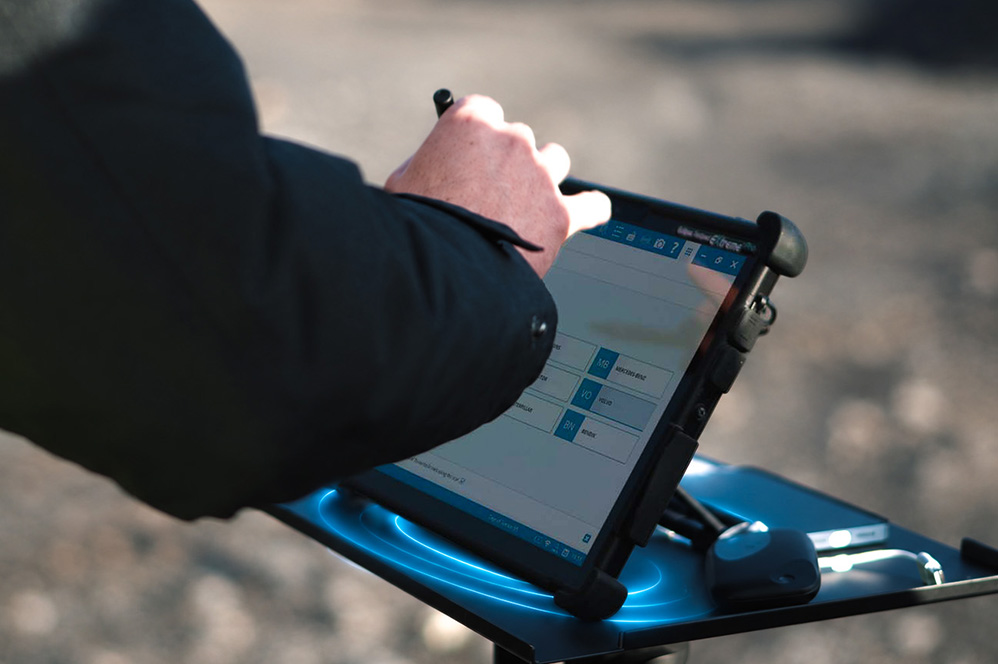
The Testpad Extreme Pro features a 13-inch daylight-readable touchscreen with a resolution of 2880 x 1920, helping technicians view diagnostic information clearly in different working conditions.
It also includes a precision stylus, hand strap, carry handle and kickstand, offering several convenient ways to use the device.
With a detachable keyboard and built-in trackpad, technicians can also switch between tablet and laptop-style operation depending on the task.
Why Protecting Diagnostic Equipment Matters
Professional diagnostic equipment represents a significant investment for any workshop. Damage or unexpected hardware failures can interrupt repairs, delay vehicle servicing and affect productivity.
Choosing durable equipment is one way to reduce these risks, but good storage and regular maintenance are equally important.
The Eclipse Workstation provides a practical way to organise and protect diagnostic equipment. Its all-steel construction, secure cabinet and dedicated Testpad docking station help keep valuable tools safely stored and readily accessible.
Combining robust diagnostic hardware with suitable storage can help workshops protect their investment and maintain a more organised working environment.
Questions to Ask Before Buying a Workshop Diagnostic Tablet
Before investing in a new diagnostic tablet, technicians and workshop managers should consider several important questions:
- Is the tablet specifically designed for workshop environments?
- Does it offer suitable impact protection and recognised durability testing?
- Is the screen large and clear enough for viewing diagnostic data?
- Can it comfortably run the required diagnostic software?
- Does it provide enough battery life for regular workshop use?
- What technical support and repair services are available?
Considering these points can help workshops choose equipment that delivers long-term value rather than focusing solely on the initial purchase price.
Why Choose the Eclipse Testpad Extreme Pro?
Developed around the needs of professional technicians, the Testpad Extreme Pro combines rugged construction with modern computing performance.
Powered by an Intel Core Ultra 5 processor, with 16GB RAM and Windows 11, it provides a capable platform for running professional diagnostic applications, including Jaltest Diagnostics.
It also offers up to 16 hours of typical battery use, Wi-Fi 7 connectivity and Bluetooth 5.3, making it well suited to technicians who need dependable performance throughout the working day.
The Testpad has become an established part of Eclipse’s diagnostic offering, with its practical design and workshop-focused features making it a popular choice for technicians across the UK.
Customers also benefit from Eclipse’s dedicated UK-based technical support and next-day repair service, helping minimise disruption if problems arise.
Looking for a diagnostic tablet that’s built for the demands of your workshop?
Discover the Eclipse Testpad Extreme Pro or contact our team to find out how it can support your workshop’s diagnostic requirements.