








Spare Parts Search
Instant access to OEM references, exploded-view diagrams and streamlined ordering — fully integrated with your diagnostics solution.

INTRODUCTION
Speed, Accuracy & Efficiency in Spare Parts Management
With the Spare Parts Search module, you can quickly identify the correct OEM parts by chassis number (VIN), view exploded-view drawings, build purchase lists and streamline your ordering process — all from within your diagnostics ecosystem. It reduces errors, accelerates repair times and keeps your workshop organised.
Request a demo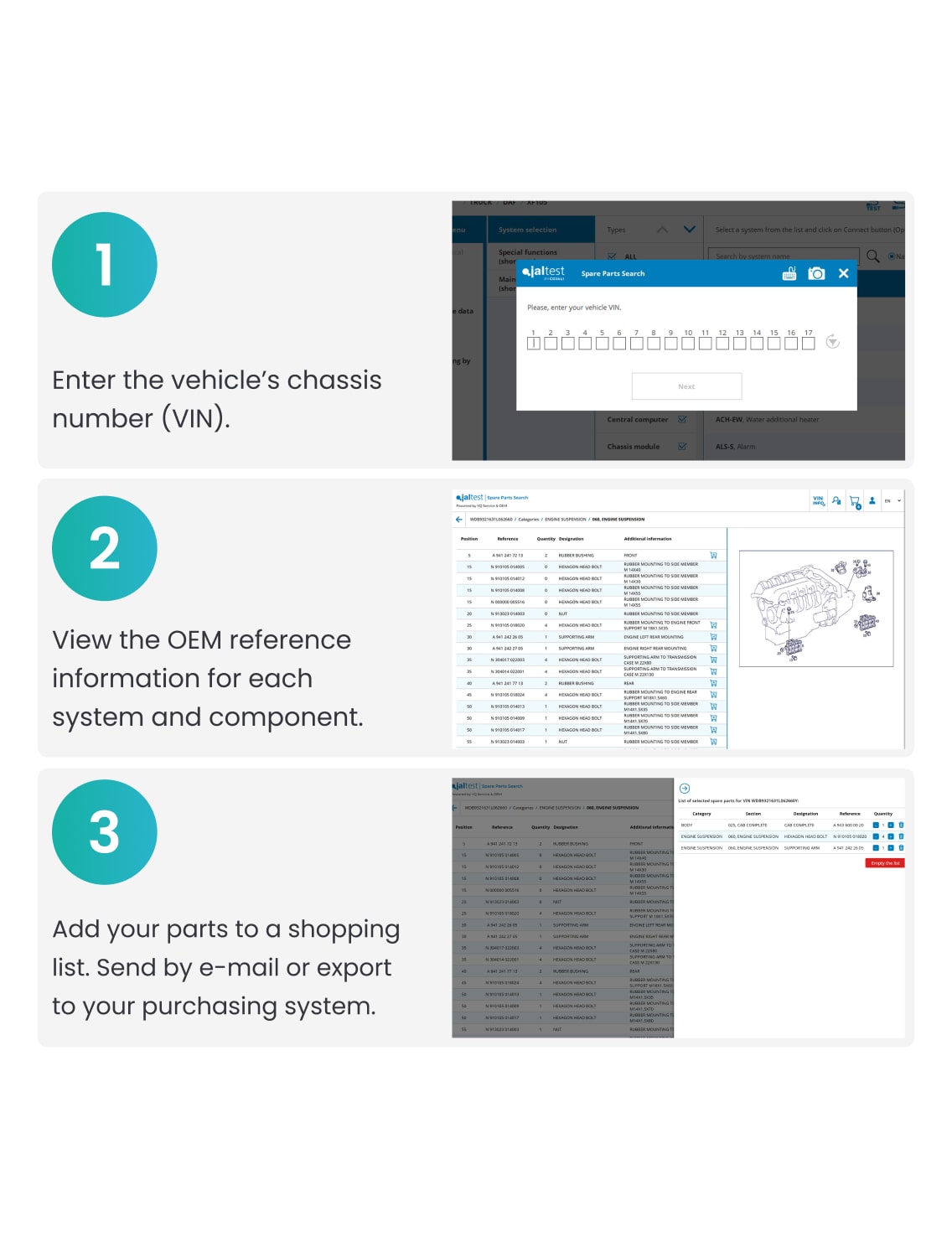
HOW IT WORKS
Three Simple Steps
1. Enter chassis number (VIN).
2. View the OEM reference information for each system and component.
3. Add the parts you require to a shopping list and send it by e-mail or export to your purchasing system.
What You’ll Find in the Module
Inside the Spare Parts Search Module
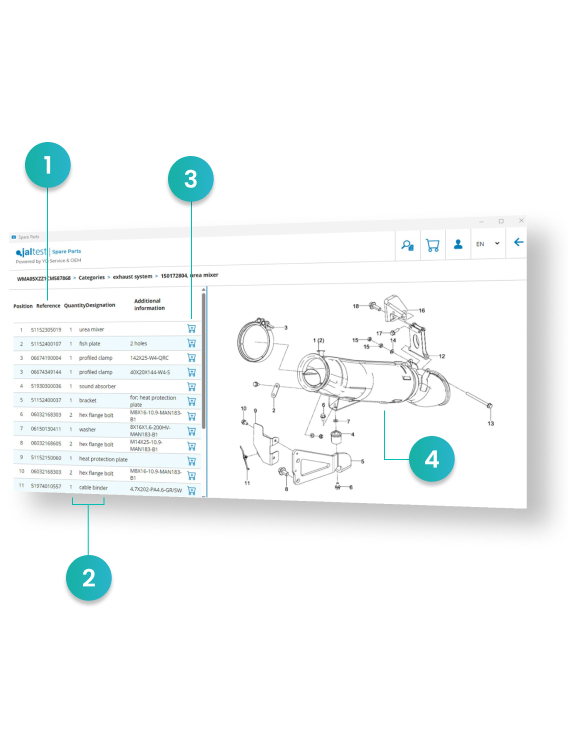
1. OEM REFERENCE
Refer to the part number according to the original manufacturer’s name.
2. NAME AND QUANTITY
You will be able to consult the description of each reference and the quantity.
3. PURCHASE LIST
Add the references to the shopping basket and send the list to the purchasing manager.
4. BREAKDOWN OF COMPONENTS AND EXPLODED-VIEW DRAWINGS
Display of all the individual parts of the vehicle systems.
01
Fast, accurate OEM search- Instantly identify the correct parts using the vehicle’s chassis number (VIN).
02
Exploded-view diagrams- View detailed component layouts and system breakdowns for precise identification.
03
Integrated workshop management- Create purchase lists, streamline ordering and reduce errors in your workflow.
04
Multi-brand support- Compatible with major manufacturers including DAF, IVECO, MAN, Mercedes-Benz, Renault, Scania, Volvo and more.
Ready to streamline your parts management?
Get in touch today to explore how the Spare Parts Search module can be rolled out in your workshop.
Enquire todayEnquire today